MiPermit Twitter
New Customers
Using SMS to Create Your Account
MiPermit steps 123

When at a parking location, send an SMS message from your mobile phone to 60300 with the word PARK followed by your vehicle registration number.

For example:

PARK T123EST

Our system will detect your mobile number and registration, and will automatically call you back on your mobile phone to complete a short registration process.

We will confirm your payment has been completed and a SMS confirmation will be sent to your phone. You will also be sent a PIN to use with future parking with MiPermit.

Important Message Warning icon

Some brands of mobile phone do not return to the home screen or close the SMS compose screen once the message has been sent or a call is received.

This may cause an issue when our automated system calls and requests confirmation by pressing a key on your keypad; as the phone may input your key presses in to the SMS compose screen. Please ensure you return to your phone's home screen after sending an SMS so that we can properly detect your key presses.

If you are having difficulty at this point, our system will automatically detect this and put you through to a member of the MiPermit team to assist you in creating your first stay.

Returning Customers
Using SMS to Pay & Stay

This process is for customers who have used MiPermit previously. You can create an account using SMS on your initial stay, or via our Registration section.

MiPermit SMS steps

On arrival at your choice of participating car park, send an SMS to 60300 with the word PARK and the location number, and duration in minutes, hours or days.

Examples:

PARK 702233 30mins

PARK 702233 1hour

PARK 702233 5hours

PARK 702233 1day

PARK 702233 2days

If you wish to park for part hours, please use the same format as above, using minutes only.

For example, if you wish to park for 1 hour 30 minutes you would use:

PARK 702233 90mins

We'll confirm that your stay has been processed by SMS.

Important Message Warning icon

Please note that the location tariffs will dictate if you are able to park over multiple days. Please see the information boards at the parking locations for more information.


Using a Different Vehicle?

If you wish to add a vehicle to your account (using a hire car for example) you can do so by either using the MiPermit portal web site or when making a stay by SMS.

To add a new vehicle by SMS when creating a stay, simply send an SMS to 60300 with the word PARK and the location number, duration, and the new vehicle registration.

For example:

PARK 702233 30mins A123BCD

PARK 702233 2hrs A123BCD

Using Your Phone to Pay & Stay

On arrival at your choice of participating car park, call the phone number displayed on the cashless parking location signs which can be found around the car park. You'll need to note the location number too.

MiPermit phone steps

* We can send you an SMS reminder 20 minutes before your stay will expire. There is an additional charge for an SMS reminder to be sent.

Extending Your Stay
You Can Extend Your Stay

If you need to extend your stay for any reason, you can do so via SMS or by logging in to the portal.

Extending by SMS is simple. Send an SMS to 60300 with the word EXTEND and how many minutes or hours to extend your stay by. This must be done while the stay is still in progress.

Examples:

EXTEND 60mins

EXTEND 2hours

Parking by Web
Get More From Your Account

After creating your account by SMS you will receive a PIN that can be used to login to either this web site, or a participating Local Authorities portal.

From these secure portals you can access the advanced features of Cashless Parking, such as:

  • Add multiple vehicles and members
  • Link members to vehicles for car sharing or private use
  • Pre-arrange your parking online, up to 7 days in advance
  • Extend your parking if you're going to be late returning to your vehicle
  • Cancel parking that hasn't started yet
  • Review your parking history
  • Download or print invoices for tracking your expenses
  • Update or change your payment method

To read more about the MiPermit portal or get help using the site, please see our portal guide.

Members with iPhones
New Solutions and New Technology

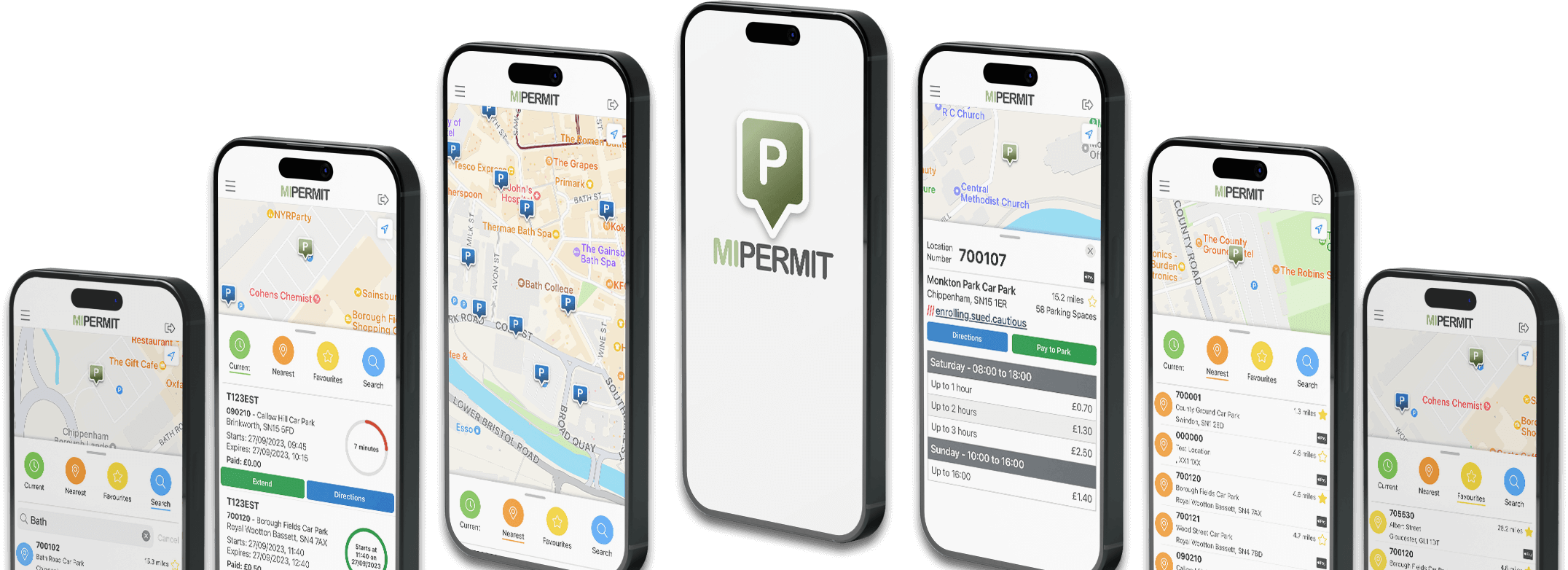
The iPhone is a popular mobile phone and entertainment device with a large audience in the UK. We have written a companion application for the iPhone to enhance your parking experience where ever you may be; in the office, at a meeting, shopping or visiting friends.

Our application allows you to login to your account and perform tasks such as:

  • Add new vehicles to your account and use them instantly
  • Pre-arrange your parking online, up to 7 days in advance
  • Set your default location to the car park you use the most
  • Cancel parking that hasn't started yet
  • Search for parking locations
  • Maintain a list of favourite locations
  • View opening/closing times and tariffs for all locations
Apple App Store logo

To use the application you must enter your login details and PIN, as with all MiPermit portals. The application can be downloaded from the iTunes Store - search for MiPermit or review our iPhone Cashless parking guide.

The application is free to download and use. Parking charges do still apply.